









|
Getting your Trinity Audio player ready...
|
Table of Contents
60 to 80 % of IT budgets go toward keeping old systems alive, not toward anything new. That’s not a hiring problem. It’s an architecture problem.
Every dollar spent patching a monolith is a dollar your product team doesn’t get for the release they actually want to ship. And the gap doesn’t stay flat but compounds. Legacy maintenance now costs the global economy more than $1.14 trillion a year. One hour of downtime on a production web app runs past $300,000 for 93% of enterprises that bother to track it.
So where does that leave a CTO deciding what to build next? Or a founder deciding what to build first?
It leaves them needing a real answer. What web application architecture actually is. Which pattern fits which stage of growth. What it costs when you get it wrong.
This guide walks through the core layers of a web application, the four architecture patterns enterprises are actually choosing between heading into 2026, the business case for getting this right, a real migration example, and a roadmap for modernizing that doesn’t require betting the company on a full rewrite.

What is Web Application Architecture?
Web application architecture is the blueprint for how three things talk to each other: the client-facing interface, the business logic running behind it, and the data layer storing everything. Get the blueprint wrong, and every feature you add afterward gets slower and more fragile to ship.
Most production systems split this blueprint into five layers: presentation (what users touch), application (the business logic), data access, infrastructure, and integration. Separating them is the whole point. It’s what lets one team update the checkout flow without breaking the inventory service.
The core layers, in practice:
| Layer | What it does | Who touches it |
| Presentation | Renders the UI and captures user input | Frontend engineers |
| Application | Runs business rules, orchestrates requests | Backend engineers |
| Data access | Reads and writes to the database layer | Backend/data engineers |
| Infrastructure | Hosting, scaling, networking, containers | DevOps/platform team |
| Integration | Connects to third-party APIs and internal services | Backend engineers |
The most common real-world implementation of this is three-tier architecture: client, server, and database as three logical layers. It is not the only option, but it is still the default most production web apps run on.
Modern Web Application Architecture Patterns: Which One Actually Fits
So, what’s the real design difference between the patterns everyone name-drops?
| Pattern | Best for | Trade-off |
| Three-tier | Most production apps, small-to-mid teams | Simplest to reason about, scales the whole app at once |
| Microservices | Enterprises scaling teams and features independently | Operational overhead if adopted too early |
| Serverless | Spiky, event-driven workloads | Cold starts, vendor lock-in risk |
| Event-driven | Real-time systems, high-throughput pipelines | Debugging distributed state is harder |
Microservices run backend teams day to day now. Cloud-native tooling, containers, serverless, managed APIs, sit next to them as the default stack rather than the exception.
Here’s what most vendor decks leave out: a good number of early microservices adopters have since pulled services back into modular monoliths. Service mesh enthusiasm cooled off too. Teams looked at the operational overhead and decided it wasn’t worth carrying.
Default to the simplest pattern your team size can actually support today. Move to microservices only when a specific bottleneck forces the decision, usually independent deployment speed across teams that keep tripping over each other.
Edge functions are the other real shift worth naming. Most new applications now ship at least one. Heading into 2026, startups are leaning modular monolith for speed, enterprises are going composable microservices to scale independently, and Zero Trust, checking every request whether it’s internal or external, has become the default security posture rather than something bolted on later.
What is the Real Business Impact of Right Web Application Architecture?
Picking the right architecture is a strategic fork in the road. Get it right and the technology investment compounds into something that actually helps you compete. Get it wrong, and it quietly decays into technical debt you’ll be paying down for years.
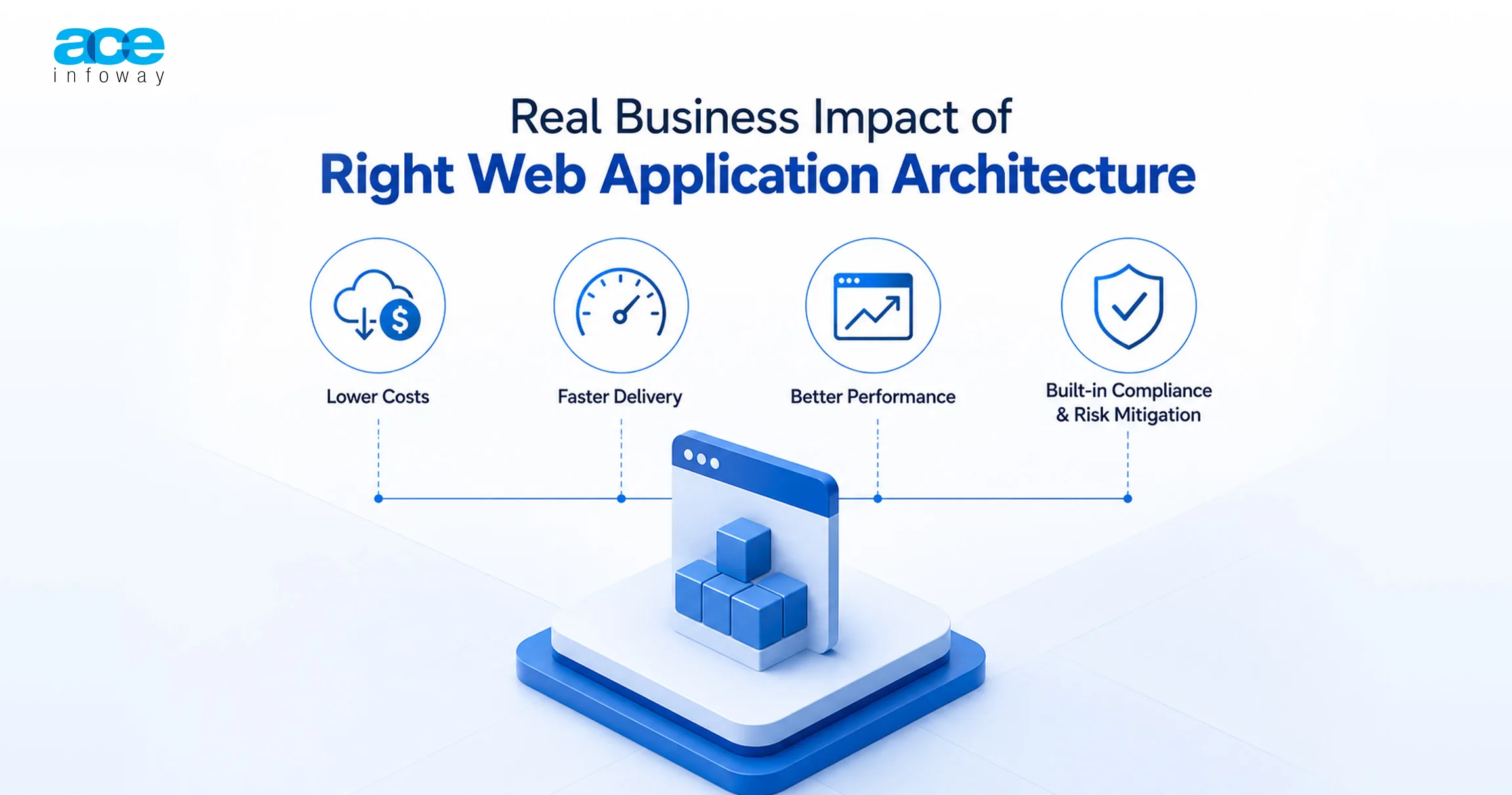
These early choices- framework, database topology, rendering pattern- govern engineering velocity, operational cost, and how well the business scales, long after the people who made the decision have moved on. Based on what modern enterprise systems have actually gone through, the impact shows up across a few distinct dimensions.
1. Direct Infrastructure and Operational Cost Efficiency
Architecture has an immediate, visible effect on cloud spend.
Right-sizing beats architectural hype. Plenty of organizations get hit with what amounts to a “microservice premium,” the high operational cost of distributed tracing, centralized logging, and orchestration pipelines that never quite pays for itself. For smaller teams or lower-revenue products, that overhead rarely earns a clear return.
Sometimes the fix is reversing the over-engineering. When the use case doesn’t actually demand microservices, folding components back into a unified process can save real money. Amazon Prime Video’s video quality analysis team migrated a monitoring workload off a distributed serverless setup, AWS Step Functions and Lambda with S3 buffering, into a single-process monolith.
Keeping data transfers in-memory and cutting out the serialization overhead dropped infrastructure costs sharply and improved scaling at the same time.
Database topology has its own economics. At large scale, DynamoDB’s per-request pricing gets expensive fast. Moving to something built on CockroachDB can deliver meaningful savings, because fixed infrastructure costs amortize better as traffic grows.
2. Developer Velocity and Team Autonomy
How fast a business ships features is tied directly to the logical boundaries in its codebase.
The modular monolith has quietly become the comeback story of the decade. Many organizations that went all-in on microservices have since folded some services back into larger, unified units. Call it an evolutionary middle ground: the code organization benefits of microservices, minus the distributed-systems complexity.
Shopify handles massive peak traffic on a Rails monolith spanning millions of lines of code. Rather than splitting into a complex physical microservices network, they keep a large developer base productive within a single codebase by enforcing module boundaries through static analysis.
When scale genuinely does call for microservices, Domain-Oriented Microservice Architecture (DOMA) groups services into vertical layers to cut cognitive load. Uber’s extension architecture inside DOMA let product teams cut feature integration times dramatically, and domain gateways shortened downstream onboarding times too.
3. User Experience, Conversions, and Revenue Protection
Architecture performance shows up directly in top-line numbers. Speed drives conversion. Slower load times measurably cost you users, full stop. Picking the right rendering strategy per route.
Static Site Generation for content-heavy pages that need to keep hosting costs down, Server-Side Rendering where you need real-time, secure personalization- keeps bundle size in check and Core Web Vitals healthy.
Downtime does the opposite. An unplanned outage halts operations and burns trust that takes a long time to rebuild. High-availability, cloud-native architectures using circuit breakers and automated failovers protect uptime, and by extension, revenue.
4. Risk Mitigation and Regulatory Compliance
Building security in early prevents expensive retroactive scrambling later. Treat enterprise compliance, SOC 2, HIPAA, GDPR, as a core quality attribute from day one rather than a late-stage checkbox. Retrofitting compliance into an application that wasn’t built for it eats considerable time and money. Designing for it from the start adds only modest overhead to the initial build.

How to Choose the Right Web Application Architecture
The framework, database, and topology decisions made in an enterprise system’s first few months set engineering velocity, operational cost, and scalability for years. This roadmap replaces hype with a requirements-driven way to choose.
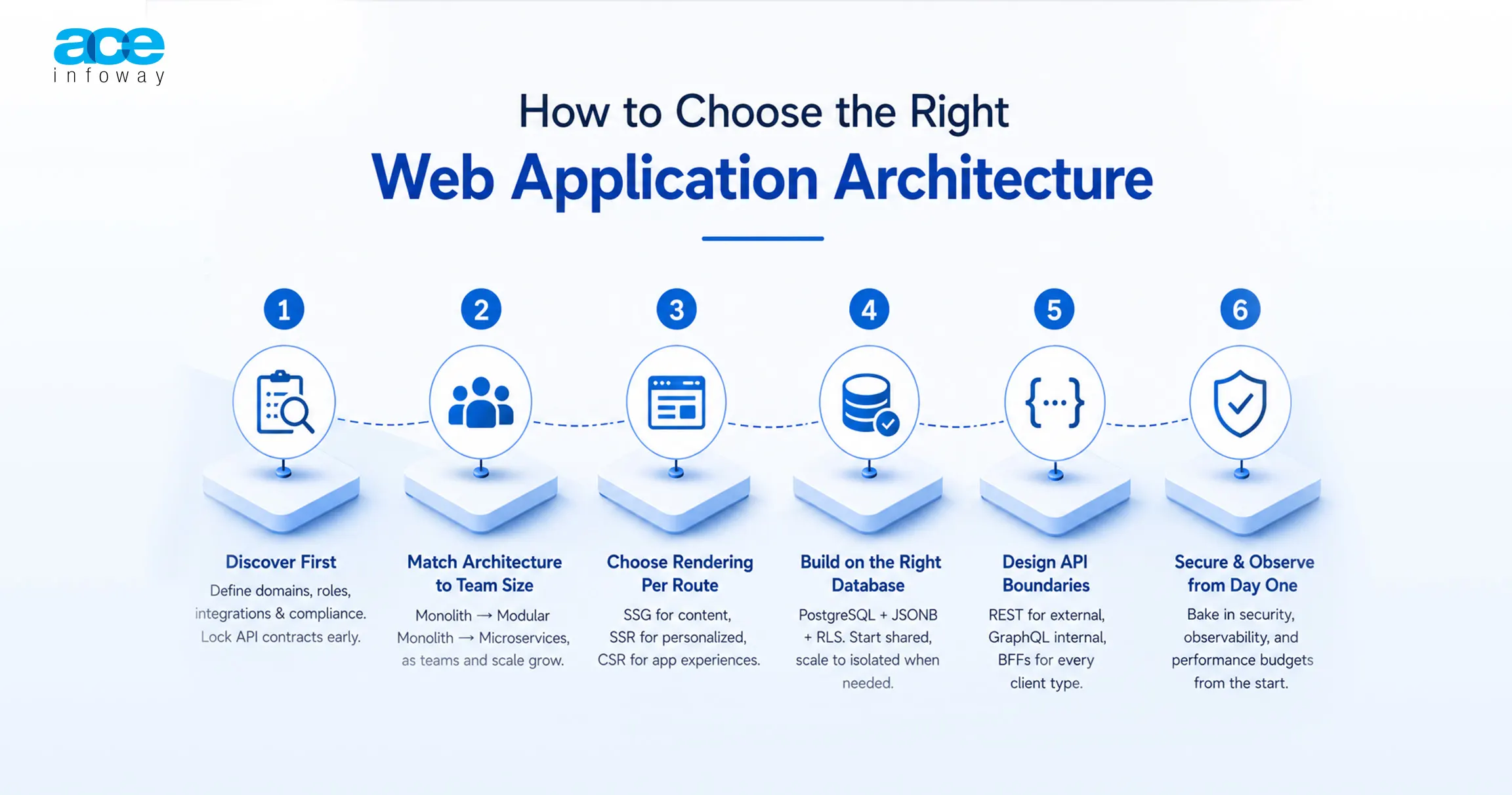
1. Discovery comes first.
Define functional domains, user roles, integration points, and compliance profile before writing code. Discovery costs a modest slice of total budget. Skipping it costs far more later, in remediation for failures that were predictable from day one. Lock strict API contracts during this phase so frontend and backend teams build in parallel against mocked shapes instead of waiting on each other.
2. Match the baseline architecture to team size, not ambition.
Small teams should default to a monolith or modular monolith. Distributed-systems overhead slows delivery without buying scale they don’t need yet. Mid-sized teams should build a modular monolith: independent, business-aligned packages, billing, shipping, inventory, with enforced logical boundaries.
That gives microservice-grade code organization with single-unit deployment simplicity. Larger teams with mature revenue can move to microservices, but only once autonomous teams need independent deployment or components carry genuinely uneven scaling profiles. Premature microservices add complexity without adding value in year one.
3. Rendering is a per-route decision.
Astro suits content-heavy, SEO-driven pages through island architecture that ships zero JavaScript by default. Next.js fits SaaS portals mixing static and server-rendered dynamic pages. Remix handles form-heavy, transactional workflows. Apply pattern by pattern: Static Site Generation for marketing pages, Incremental Static Regeneration for semi-dynamic catalogs, Server-Side Rendering for personalized authenticated pages, Client-Side Rendering for logged-in tools where SEO doesn’t matter.
4. The database is the foundation everything else sits on.
PostgreSQL handles most enterprise complexity profiles. JSONB stores semi-structured data without a second database. Row-Level Security enforces access policy at the engine level, independent of application code. Start most B2B SaaS with row-level tenancy via RLS, then offer a database-per-tenant premium tier for enterprise customers needing physical isolation.
5. Design API boundaries defensively.
REST for external partner integrations, GraphQL internally where the frontend needs flexible queries across complex relationships. Serving multiple client types- desktop, iOS, Android, TV- means building a dedicated BFF for each, killing over-fetching and under-fetching in one move.
6. Security and observability start on day one.
SOC 2 retrofitted later costs far more than SOC 2 designed in from the start. Standardize on OpenTelemetry and Prometheus, and enforce performance budgets as CI/CD.
Final Thoughts
The cost of doing nothing is not neutral. It’s 60 to 80% of your IT budget quietly going to maintenance, and a downtime bill that gets more expensive every year the fix gets delayed.
The cost of doing it wrong, a rewrite with no phased plan, is worse: months of stalled feature work and a team that has to relearn the system twice.
The path between those two is a phased architecture audit: find the one service actually gating your releases, fix that first, and build the roadmap for the rest. Ace Infoway runs that audit as the starting point for every modernization engagement. Talk to our engineering team about scoping yours.
FAQs
What are the layers of Web application architecture?
The layers are presentation, application (business logic), data access, infrastructure, and integration. These layers are separated so that the updating of one feature will not affect other unrelated features.
What are the differences between monolithic and Microservices architecture?
Monoliths are a single deployable unit with all features, while microservices are stand-alone services that communicate via APIs. About 46% of backend developers currently use microservices, while approximately 42% of the early adopters have since moved some of their services back into modular monoliths.
What is the meaning of 3-tier web application architecture?
There are three-tier architectures, which divide an application into presentation, application logic,gic and data storage. is still the most prevalent pattern in any web-based application used in production, given that it is the easiest to reason about and scale.
Still Relevant in 2026: The Role of Microservices Architecture.
Yes, especially if the business requires teams to ship and scale withothers’ guidance and support, but not always the first choice for every team. The correction theme is interesting, and 42% of the early adopters are starting to experiment with bringing modular monoliths back into the fold, meaning it is a genuine sign to stick with the simpler design unless some blockage makes for a change.
What is the best architecture of a Web application for scaling?
Do not adhere to the pattern for the number of people you think you will have three years in the future, but to your actual size and traffic. Do an audit of the real bottleneck, then modernize incrementally, service by service, not a complete rewrite.