





|
Getting your Trinity Audio player ready...
|
Table of Contents
Most customers now expect a brand to know who they are. McKinsey found that 71% of consumers expect personalized interactions, and 76% get frustrated when they don’t get them. Most marketing teams already know this. The trouble is that their tools were never built to deliver it.
Picture a typical setup: an aging CMS, a separate email tool, and customer data split between the CRM and the online store. None of them talk to each other well, so every campaign is stitched together by hand.
The result? Slow launches, personalization that stops at a few banners, and no clear answer when leadership asks what the website contributes to revenue.
A digital experience platform (DXP) is built to fix that. It is the set of tools a business uses to create, manage, deliver, and improve digital experiences across every channel. This guide explains what a DXP is, how it is built, where it pays off, and how to choose one.
What is a Digital Experience Platform (DXP)?
A DXP is more than a website builder. A website builder publishes pages. A DXP decides what each customer should see, on which channel, and whether it worked.
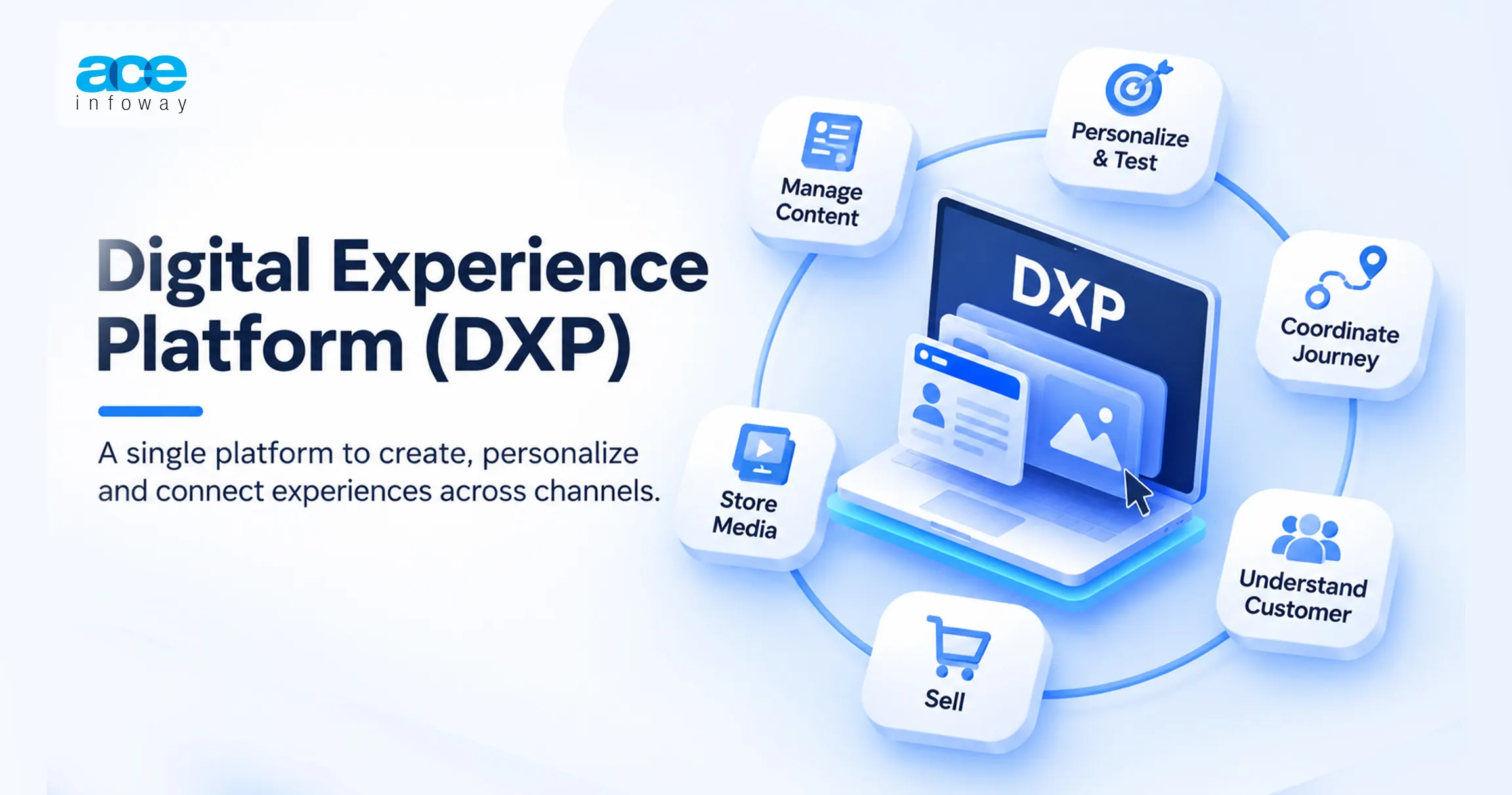
What does a DXP actually do?
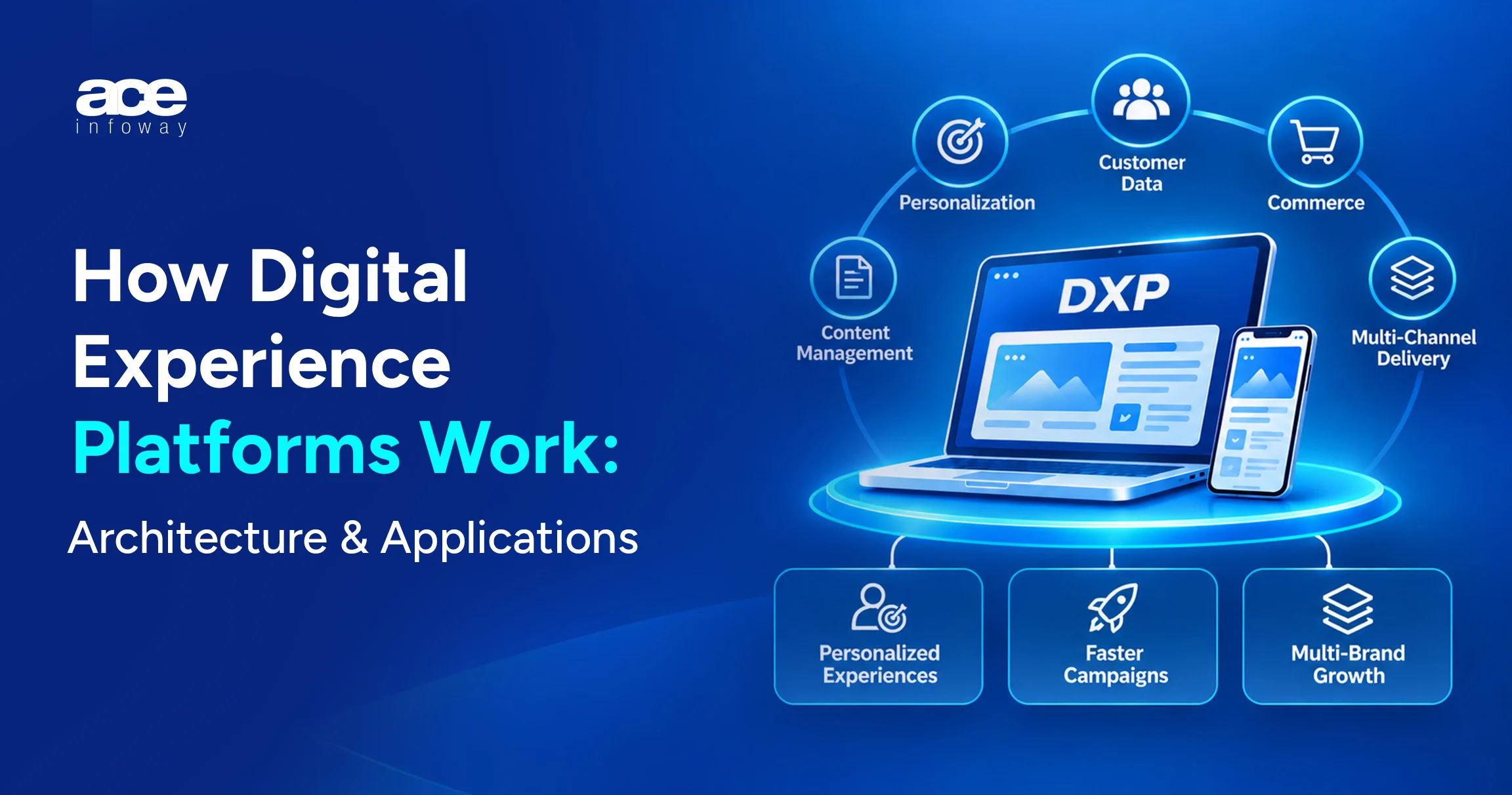
Most DXPs cover six jobs:
- Manage content, written once and reused everywhere
- Personalize and test, showing different content to different groups and checking what works
- Coordinate the journey, choosing the next helpful step across channels
- Understand the customer, bringing data together into one profile
- Sell, connecting product information, cart and checkout
- Store media, keeping approved images, videos and documents in one place
If a vendor can’t explain how it covers each one, it is likely a CMS with a new label.
DXP vs CMS vs Customer Experience Platform
The line between a DXP and a content management system (CMS) is blurry, but the practical difference is clear.
| Differences | CMS | DXP |
| Main job | Create and publish website content | Create, deliver, and improve experiences across channels |
| Examples | WordPress, Drupal, Joomla | Adobe, Optimizely, Acquia, Sitecore |
| Customer data | Little or none, usually through plugins | Built-in or connected |
| Personalization | Basic or an add-on | A core feature |
| Channels | Mostly the website | Website, app, email, portals, in-store screens |
| Cost | Lower to buy and run | Higher license, setup, and team costs |
| Best fit | One site, small team | Larger organizations with many channels, brands or regions |
You may also see the term “customer experience platform.” In most vendor material, it means the same thing.
DXP vs headless CMS
A headless CMS keeps content separate from design, so one product description can feed the website, the app, and an in-store screen. On its own, it is not a DXP: it handles content, while a DXP adds personalization, data, search, and commerce.
The next question is how these pieces fit together.
Digital Experience Platform Architecture: The Layers That Matter
The simplest way to think about a DXP is as five layers, with content at the bottom and customers at the top.
| Layer | What it does |
| 5. Delivery | Website, app, portals, email and in-store screens |
| 4. Commerce and connections | Online store, search, links to CRM and ERP |
| 3. Personalization | Decides what each customer sees and tests what works |
| 2. Data | One customer profile, plus consent and analytics |
| 1. Content | Reusable content pieces, images, video, and documents |
Each layer draws on the one below it: well-organized content and a clear customer profile are what make personalization, commerce and every channel above them work.
Content layer
This is where content and media are written, approved, and stored. The key decision is to store content in reusable pieces, such as a product benefit or a disclaimer, rather than whole pages, so there is something small enough to personalize.
Data layer
This layer combines what you know about each customer, including consent, into one profile, often using a customer data platform (CDP). If it can’t recognize the same person across channels, personalization becomes guesswork.
Personalization layer
This layer decides what each customer sees, based on their profile and context. A good test: can marketing run a test and roll out the winner without an IT ticket?
Commerce and connections layer
The online store, search, and links to systems like the CRM or ERP sit here. Suites pre-connect much of it; in an assembled DXP, you build it yourself.
Delivery layer
These are the places customers actually see: the website, app, portals, emails, and in-store screens.
Same layers, different ownership
Every DXP has these layers. The difference is ownership: a suite bundles them under one vendor, while an assembled DXP treats each as a replaceable tool.
Monolithic vs. Headless vs. Composable DXP: Choosing an Architecture
There are three common ways to build a DXP. The mistake is choosing one because it is popular rather than because it fits your team, budget, and channels.
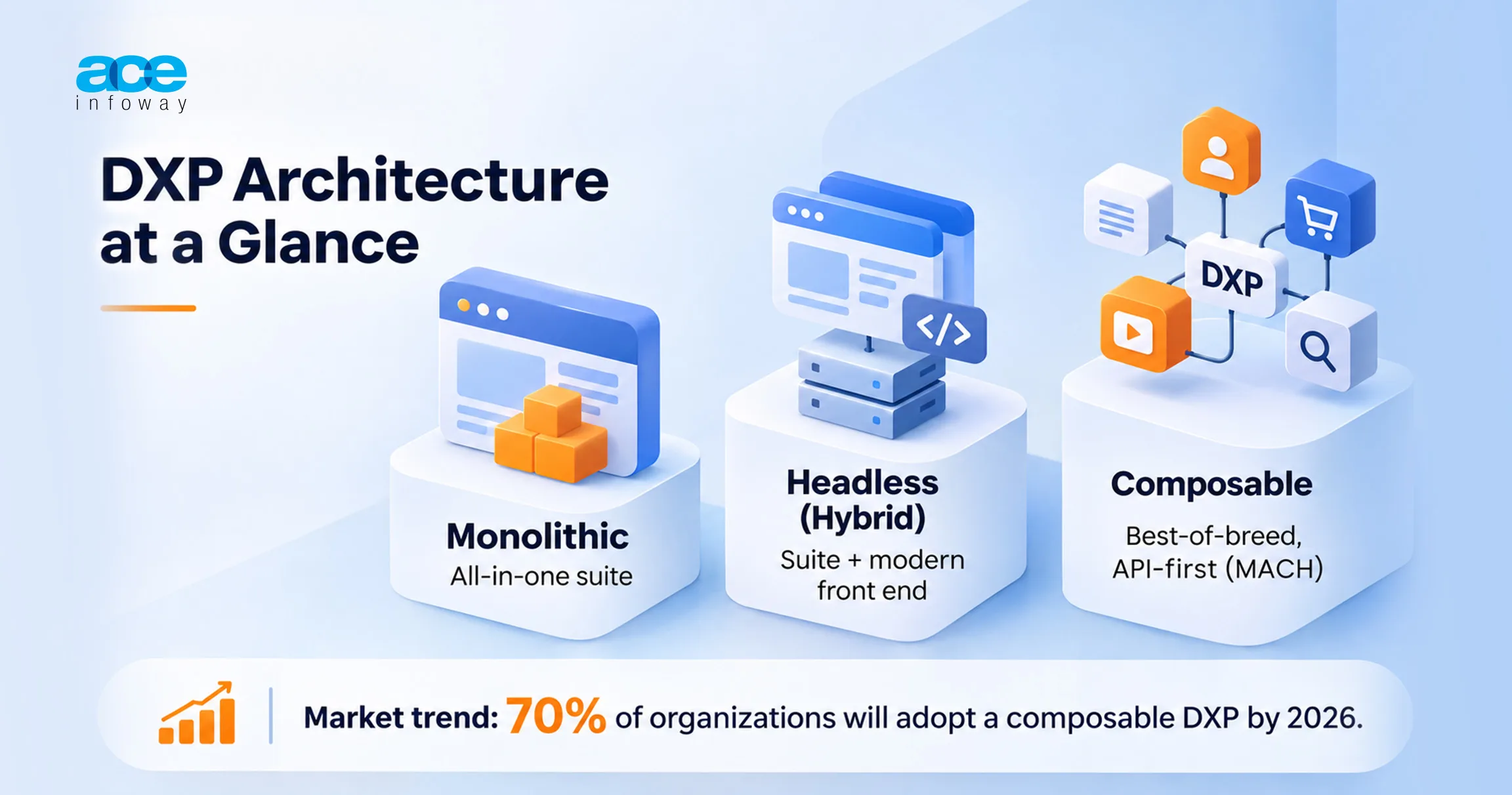
All-in-one suite (monolithic)
One vendor supplies everything, as with Adobe Experience Manager, Sitecore or Liferay. Everything fits, but you move at the vendor’s pace, and replacing one weak part means wrestling with the whole suite.
Hybrid (headless suite)
A hybrid setup keeps the suite behind the scenes while developers build the front end with modern tools. For companies invested in a suite, it is often the most realistic next step.
Composable DXP
A composable DXP is assembled from separate, specialist tools, such as a headless CMS, search, personalization, and commerce. If one part stops serving you, you replace only that part.
These are often called “MACH” platforms: Microservices, API-first, Cloud-native and Headless. In plain terms, small independent services that connect through standard interfaces and run in the cloud.
The trade-off is that your team now owns the connections and rules a suite used to handle.
Where the market is heading
Composable is no longer a niche choice. Gartner predicted that at least 70% of organizations would be required to buy composable DXP technology by 2026, and composability was a requirement for inclusion in its 2025 DXP report.
In practice, most companies run a mix and move one piece at a time.
The trade-offs, side by side
| All-in-one suite | Hybrid | Composable | |
| Getting started | Fast if you accept the defaults | Moderate | Slowest, because tools must be connected first |
| Making changes later | Slow, tied to the vendor | Faster on the customer-facing side | Fastest, if well managed |
| Flexibility | Low to moderate | Moderate | High |
| Connection work | Little; it comes pre-built | Some | A lot, and you own it |
| Contracts | One large contract | One contract plus hosting | Several contracts |
| Team needed | Platform specialists | Specialists plus front-end developers | Strong architects and engineers |
| Biggest risk | Lock-in and slow upgrades | Running two worlds at once | Sprawl and unclear ownership |
Three points for the finance conversation:
- First, composable moves cost from licenses to people, especially architects and engineers.
- Second, it can be more than a small team needs. A single brand with one website rarely gets its money back.
- Third, the move is gradual. Successful teams replace one part at a time while the old platform keeps running.
With the options clear, what do companies actually get from a DXP?
Business Use Cases: Where a DXP Pays Off
Companies usually buy a DXP for one of five reasons.
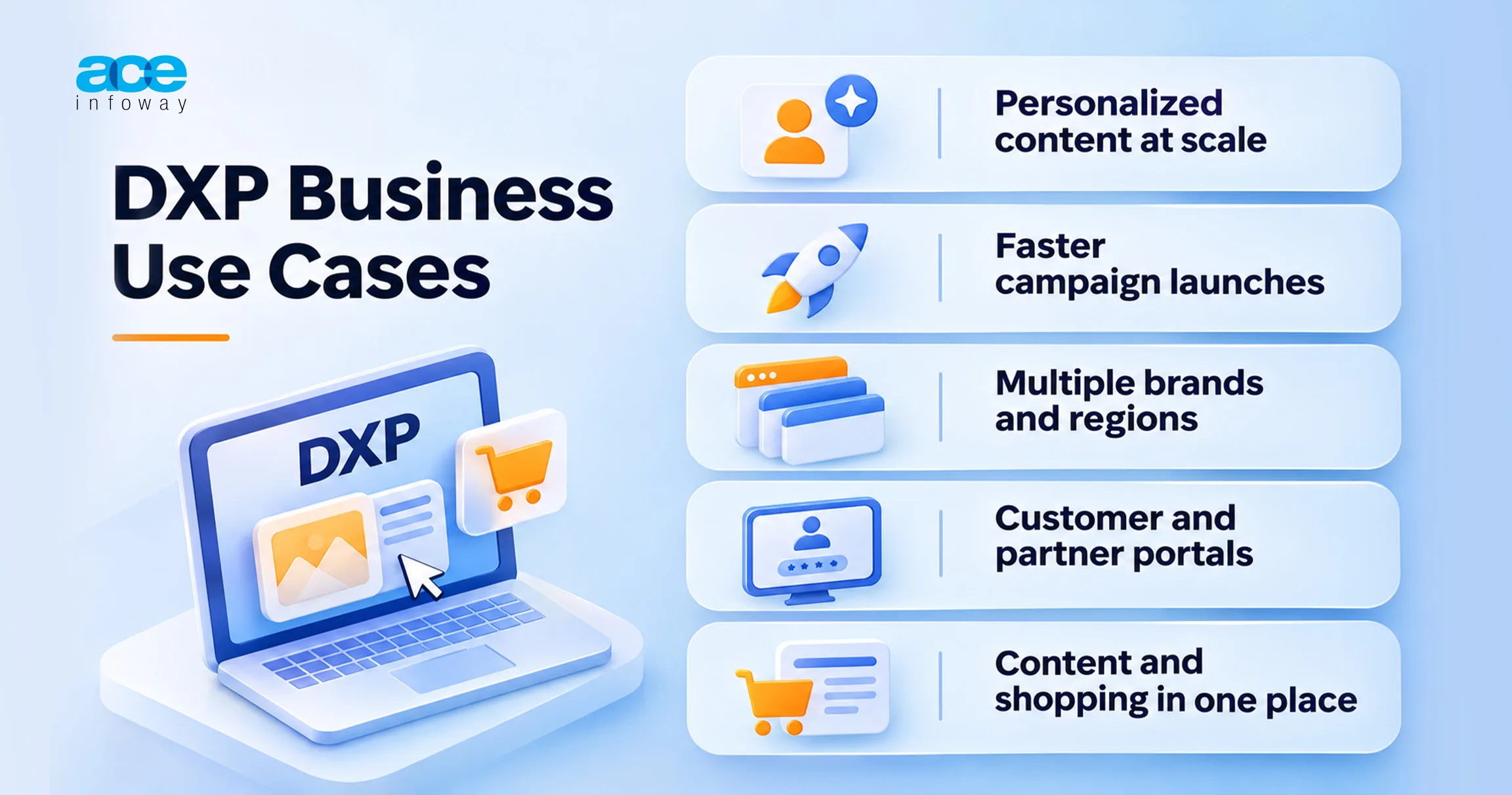
Personalized content at scale
Without a DXP, personalization means a few banners updated by hand. With reusable content and one customer profile, a DXP shows each visitor the right offer automatically and reveals which version drove sales.
Faster campaign launches
A campaign is approved on Monday, but the landing page takes three weeks because every page needs a developer. With a DXP, marketers assemble pages from approved templates themselves.
Many brands, regions and websites
Dozens of brand or country sites tend to drift apart. A DXP shares core content across them, so local teams adapt it rather than rewrite it, and one change flows everywhere.
Customer and partner portals
B2B companies often run separate public sites, portals and stores, each with its own login. A DXP puts them behind one login and one content source, so a distributor finds prices, documents and training in one place.
Content and shopping in one place
Shoppers don’t separate reading from buying. A DXP lets you place products inside articles and helpful content on product pages, all managed from one place.
The harder question, and the one finance will ask, is whether it pays for itself.
The Business Impact: ROI, Cost and Risk
The business case has to convince a finance team.
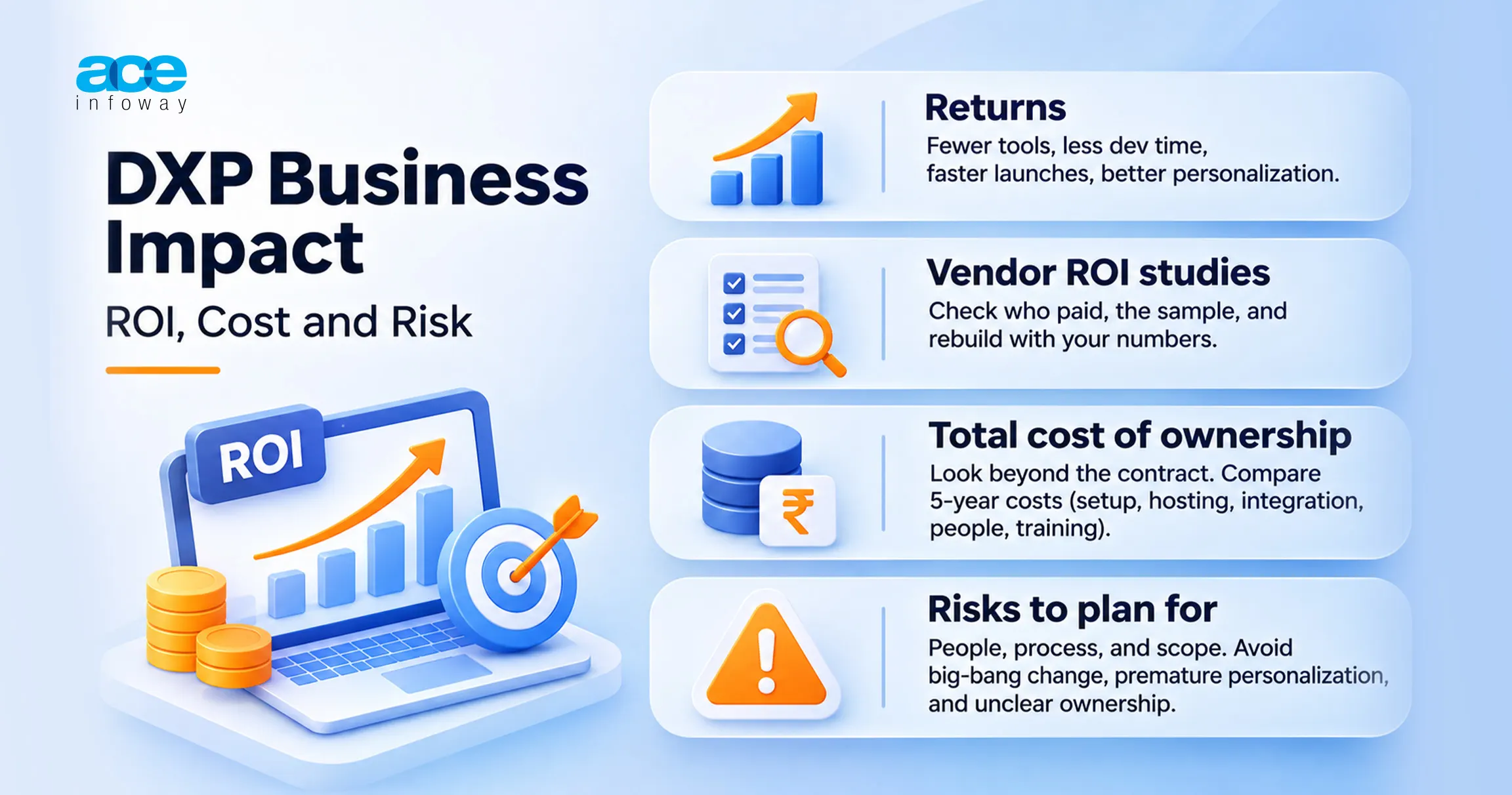
Where the returns come from
Returns come from fewer overlapping tools, less developer time, faster launches and better personalization. Tool consolidation is the easiest to prove, because retired licenses show up in the budget straight away.
Reading vendor ROI studies
Vendor material often includes impressive return figures. Read them carefully:
- Check who paid for it. Most are commissioned by the vendor.
- Check the sample. Many rely on a handful of customer interviews.
- Rebuild it with your own numbers. If the case only works with the vendor’s assumptions, it doesn’t work.
The real cost of ownership
The contract price is only part of the cost. Suites concentrate it in licenses and partners, while composable setups spread it across subscriptions and a larger team. Compare at least five years of setup, hosting, integration, people, and training.
The risks to plan for
The biggest risks are about people and process: changing everything at once, buying personalization before content is organized, or running a composable stack with no clear owner.
Digital Experience Platform Vendors and Examples
The overview below groups vendors by approach; it is not a ranking.
What the analysts say
Many buyers start with the Gartner Magic Quadrant for DXPs. It measures performance across the whole market, not fit for your business, so a Leader can be more than a small team needs.
Vendors by approach
| Approach | Example vendors | Usually a good fit for |
| All-in-one suites | Adobe, Acquia, Sitecore, OpenText | Large companies with many brands, an established platform team, and a preference for one accountable vendor |
| Composable and headless-first | Contentful, Contentstack, Magnolia, Storyblok | Companies with strong engineering teams, several front ends, and a plan to assemble their own stack |
| Open source | Drupal (with Acquia), Liferay, Magnolia, Pimcore | Companies that want more control over code, hosting and their exit options |
Some vendors fit more than one group. Magnolia, for instance, presents itself as both composable and open source, and Acquia builds its suite on the open-source Drupal CMS.
A word on “open source”
One caution: “open source” and “source available” are not the same. Check the license for the edition you would actually run.
So which DXP is best?
There isn’t one, only a best fit for your team, channels, data, and budget.
How to Choose: A Decision Framework for Your Digital Experience Strategy
These four steps narrow a long vendor list to a shortlist, then to one.
Step 1: Map your channels, brands and teams
Before you speak to any vendor, write down a few basics:
- How many sites, apps and portals you run now, and in three years
- How many brands, regions and languages you support
- Who writes, approves, and builds content
- How many developers and architects you actually have
This step alone often settles the architecture debate.
Step 2: Check the state of your customer data
Personalization runs on data, so ask three honest questions:
- Do you have one view of each customer?
- Do you track consent consistently across channels?
- Can you recognize a customer moving from email to web to app?
If the answer to all three is no, invest in customer data before personalization.
Step 3: Match your situation to an approach
Use your answers from steps 1 and 2 to see which approach fits best.
| If this sounds like you | Lean toward |
| One or two brands, a small web team, mostly website content | A CMS, or a suite using mostly standard features |
| Heavy investment in a suite, but frustration with how slowly the website changes | A hybrid setup: keep the suite, modernize the customer-facing side |
| Many brands or channels, a strong engineering team, and frequent launches and tests | A composable DXP, with a budget for the team that runs it |
| Unsure about your customer data | Fix the data foundations first, whatever the approach |
Then filter by budget, hosting needs, required integrations, and licensing.
Step 4: Shortlist and run a real test
Trial three or four vendors on one real use case, such as launching a localized campaign page in five markets within a week.
Then compare the vendors on what actually happened:
- How long the use case took, and who had to get involved
- How easy the platform is for marketers, not just for developers
- What it is likely to cost over three to five years at your size
Common mistakes to avoid
- Changing everything at once. Move one part or one site at a time.
- Buying personalization before organizing content. Without structured content, there is nothing to personalize.
- Choosing based on an analyst’s position alone. A strong rating doesn’t mean a good fit for your team.
- Underfunding the team. Composable moves cost from licenses to people, so budget for them.
Conclusion
Customers expect brands to recognize them on every channel, and a DXP makes that possible.
Three ideas are worth carrying into your next planning meeting:
- A DXP is a set of capabilities, not a single product. Content, data, personalization, and delivery must work together.
- The right approach depends on your team and your data. Composable is the trend, but not every company should move fully now.
- Start with one use case you can measure. It gives finance results to check within a quarter.
Work through the four steps, be honest about your team and data, and test no more than four vendors. And if you are looking to focus more on the business and let an expert handle implementation of DXP, please connect with our experts.
FAQs
What is a digital experience platform (DXP)?
A DXP is the set of tools a business uses to create, manage, deliver, and improve digital experiences across channels such as the website, app, portals, and email.
What is the difference between a DXP and a CMS?
A CMS publishes content, mostly for a website. A DXP adds customer data, personalization, testing, and multichannel delivery, and suits organizations with many channels, brands, or regions.
What is a composable DXP?
It is a DXP built from separate specialist tools connected to each other, rather than one suite. Any part can be replaced, but your team does more of the integration work.
What does MACH stand for?
MACH stands for Microservices, API-first, Cloud-native and Headless: small independent services, connected through standard interfaces, running in the cloud, with content kept separate from design.
Is there an open-source DXP?
Yes. Common options include Drupal (with Acquia), Liferay, Magnolia, and Pimcore. Check the license for the edition you plan to use, since enterprise editions are often commercially licensed.