








|
Getting your Trinity Audio player ready...
|
Table of Contents
Enterprises are investing heavily in AI integrations, and mostly it’s to improve workflow automation. However, the term automation often becomes misleading. Because it’s not just about automating a task to complete it as fast as you can. Automation needs strategic deployment and well-defined outcomes that enterprises can measure at the end of the task.
This is where enterprises miss out on capitalizing on the true potential of AI to transform productivity and ensure better outcomes. What happens is misalignment, miscommunication, and lack of collaboration due to hasty integrations.
And this is why most automation programs stall before they pay off. McKinsey’s State of AI 2026 survey found that nearly three-quarters of AI high performers have fundamentally redesigned their workflows, while only 25% of other organizations have done the same.
The rest bolt automation onto processes where someone still exports a file, pastes it into another system, and emails a manager for approval.
So, how do you ensure workflow automation projects provide the highest ROI
And which is the best approach?
This piece offers answers to all your questions regarding workflow automation and covers the multi-step loop that every automated workflow runs, the technical layers, and automation approaches compared side by side.
What is Workflow Automation?
Workflow automation is an approach that enterprises deploy to use software to execute operational tasks through a defined sequence. It structures data between apps, applies business logic, and delegates specific tasks to people without manual hand-offs.
How Do Workflow Automation Applications and Processes Work?
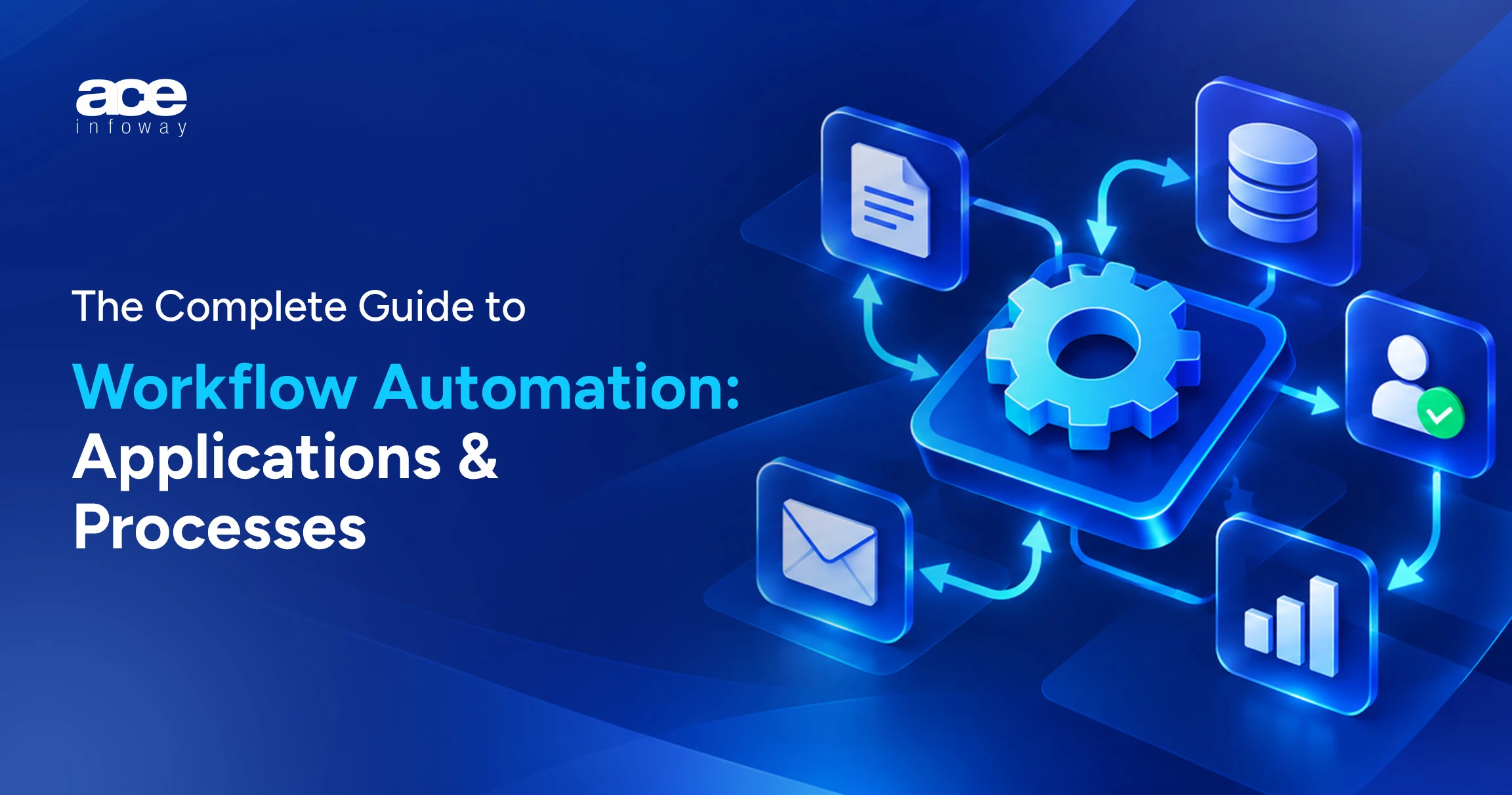
Workflow automation applications leverage digital triggers, rule-based logic, and system integrations to execute repetitive business tasks. They rely on a simple architecture to move data and manage tasks.
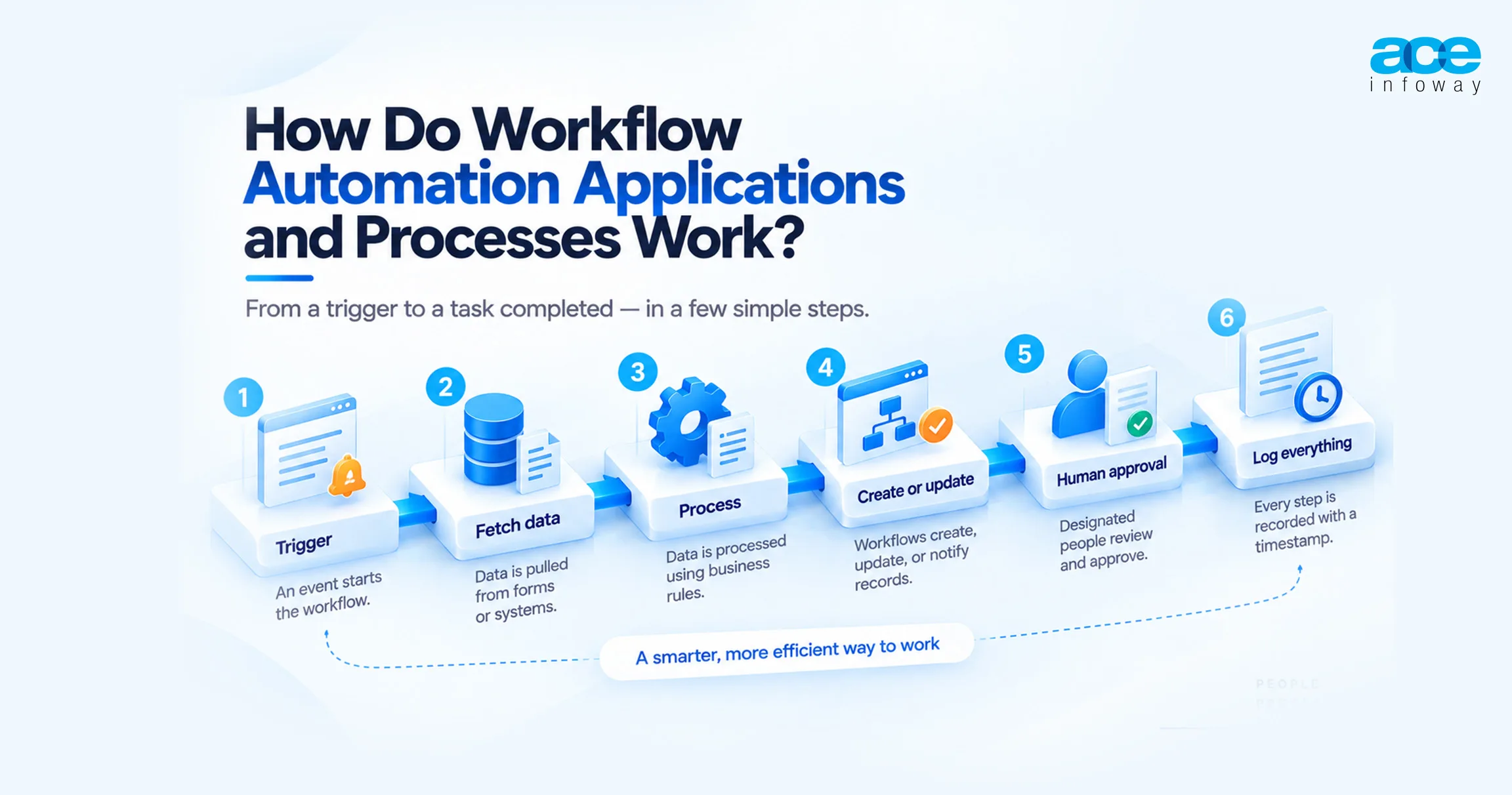
Every automation begins with a trigger.
- A trigger is an event that occurs, such as invoice generation or a lead filling out a form.
- Next, the data from the form or specific systems is fetched.
- This data is then processed based on the established business logic
- Based on the insights in the data, workflows create, update, or notify the records.
- These workflows are then approved by specific personnel designated as a human checkpoint.
- Every step executed above is recorded and logged with a proper timestamp.
What are the Benefits of Workflow Automation?
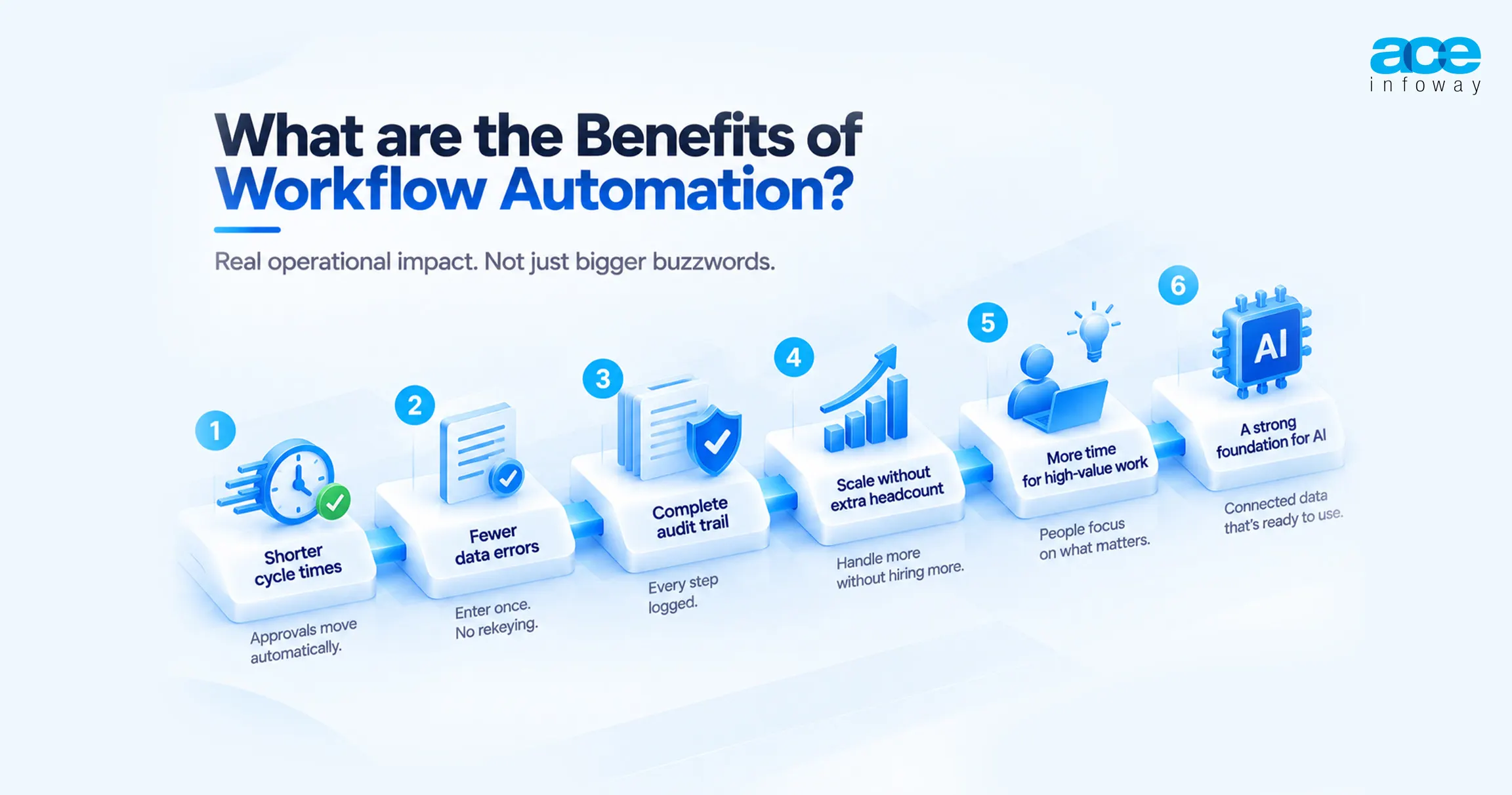
Workflow automation benefits are easiest to judge as operational changes, not adjectives:
- Shorter cycle times. Approvals move the moment a condition is met, not when someone finally checks their inbox.
- Fewer data errors. Data entered once flows to every downstream system, so rekeying mistakes disappear on their own.
- A complete audit trail. Every step, owner, and timestamp gets logged, which turns a compliance review into a five-minute pull instead of a scavenger hunt.
- Capacity without proportional hiring. High-volume, rule-based work, like records processing or invoice matching, scales with the workflow instead of the headcount.
- Time returned to skilled work. People stop chasing status updates and switching between apps, and spend that time on the judgment calls they were actually hired for.
- A usable foundation for AI. 48% of enterprises cited searchability of data as a barrier. Connected workflows fix exactly that: they hand AI models reliable data and a place to act on it.
What Does Workflow Automation Look Like Across Business Functions?
The table below maps this out function by function: the workflow, the systems it touches, and exactly where a human still has to sign off.
| Function | Workflow | Systems connected | Human checkpoint | Operational result |
| Finance | Invoice processing | Email or supplier portal, document extraction, ERP, payments | Exceptions and invoices above approval limit | Faster payment cycles, fewer late fees |
| Marketing | Lead routing and nurture | Web forms, marketing automation, CRM, data enrichment | Sales accepts or rejects the qualified lead | Faster speed-to-lead, cleaner attribution |
| IT | Access requests | Service desk, directory, SaaS admin consoles | Security approval for privileged access | Consistent, auditable provisioning |
| Operations | Order-to-cash | eCommerce or CRM, ERP, warehouse, carrier APIs | Credit hold review | Fewer manual order corrections |
How is Workflow Automation Different from RPA, iPaaS, and Workflow Orchestration?
These four terms get thrown around interchangeably in vendor marketing, but each one solves a different problem, and conflating them is exactly how automation programs end up buying the wrong tool.
| Approach | What it automates | How it connects | Best fit | Main risk |
| Workflow automation | End-to-end processes across people and systems | APIs, connectors, forms, approvals | Cross-team processes with clear rules | Automating a broken process |
| RPA | Repetitive screen-level tasks | Bots that mimic clicks and keystrokes | Legacy applications with no API | Bots break when screens change |
| iPaaS | Data movement between applications | Prebuilt connectors, mapping, API management | Many SaaS and cloud systems to keep in sync | Integration sprawl without governance |
| Workflow orchestration | State, sequencing and recovery of long-running processes | Code or BPMN engines calling services | High-volume, multi-day, failure-sensitive workflows | Requires engineering capability |
Workflow automation vs RPA is the comparison buyers ask about most. RPA works at the user-interface layer: a bot logs in and clicks through screens exactly the way a person would. That makes it useful for legacy systems with no API to speak of, but fragile the moment someone redesigns a screen.
Workflow automation works one layer down, at the process and API level, which is more stable and far easier to govern. And in practice, mature programs treat RPA as one step inside a larger workflow, never as the workflow itself.
Then again, watch the labels too. Gartner has flagged “agent washing,” the practice of rebranding existing RPA tools and chatbots as agentic AI with no real agentic capability behind the name. What that means in practice is the product name tells you almost nothing. Ask what the tool does the moment a step fails, not what category it claims to belong to.
Which Approach Fits: No-Code, Low-Code, Open Source or Custom?
The right option depends far less on a feature list than on three questions: how much risk the process carries, how much volume it needs to handle, and who’s actually going to own it once it’s live.
| Option | Examples | Best for | Watch out for |
| No-code workflow automation | Zapier, Make | Small teams, departmental tasks, quick wins | Per-task pricing at volume, limited error handling, shadow IT |
| Low-code workflow automation | Microsoft Power Automate, Salesforce Flow | Organizations standardized on one ecosystem | Licensing complexity, citizen-developer sprawl |
| Open source workflow automation | n8n, Apache Airflow, Temporal, Camunda | Teams needing self-hosting, data control, custom logic | You own hosting, upgrades, and security |
| Enterprise iPaaS and workflow platforms | MuleSoft, Boomi, Informatica, ServiceNow | Many systems, strict governance, high volume | Cost and implementation time |
| Custom API integration | Engineered services and orchestration | Core, differentiating, or regulated processes | Needs ongoing engineering ownership |
Workflow automation for small business usually starts with no-code. For a ten-person team routing web leads into a CRM, a tool like Zapier is often all you need, and buying anything heavier would be solving a problem you don’t have yet.
But teams outgrow it in predictable ways. Task-based bills climb with volume, workflows need branching logic and retries the tool was never built for, or data has to stay on infrastructure you actually control. That’s when the search for Zapier alternatives begins. Make offers more visual branching, while n8n offers self-hosting under a fair-code license.
At the enterprise end, low code is becoming the norm and not the exception. So it’s not like enterprise workflow automation has to be nonexistent to allow for low code. It is how to govern it: which workflows can be created by the business teams, and which have to be created by IT because they involve customer information, payments, or regulated information.
When is it OK to NOT Automate a Workflow?
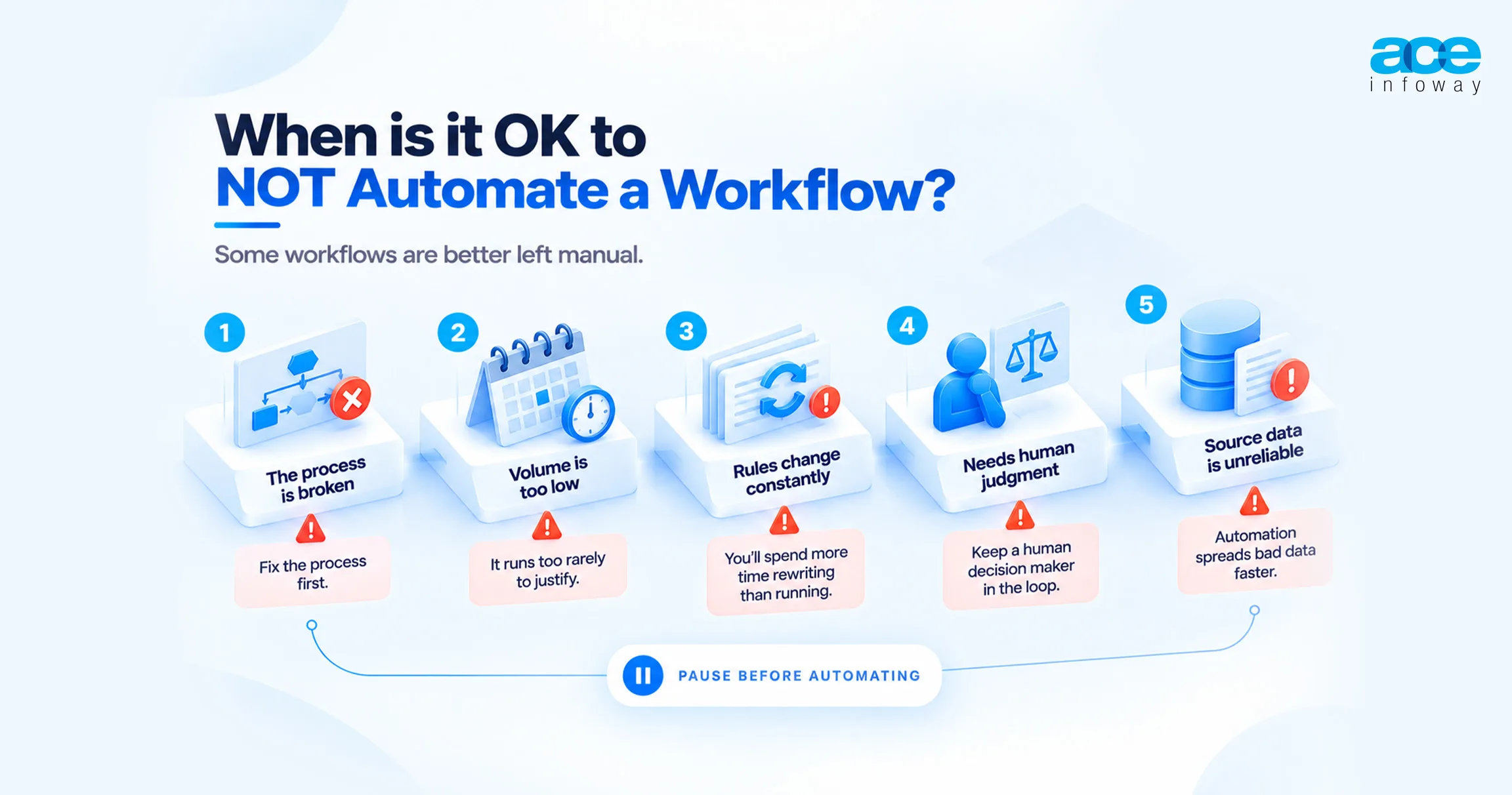
Not all processes need to be automated, and it’s part of being an effective automation expert.
- The process itself is broken. Automating an unclear approval chain just makes it fail faster, with less visibility into why. Fix the process first.
- Volume is too low. A task that runs twice a quarter rarely justifies the build and maintenance cost, no matter how annoying it is each time.
- The rules change constantly. Automating when the policy changes monthly is going to take longer to rewrite the automation than it will take to run.
- Critical and subjective judgment call. Have someone as the decision maker, and only automate the preparation that goes around them.
- Source data is unreliable. Automation doesn’t clean up bad data. It spreads it to more systems, faster.
How Do You Implement Workflow Automation?
Before picking a platform, run this five-step sequence:
- Map the current process. Document every step, system, hand-off, and exception. Most teams discover steps nobody on the team actually knew existed.
- Prioritize by volume, rules, and pain. The strongest first candidates are high-frequency, rule-based, cross-system workflows with delays everyone can already see, like onboarding, invoice approval, or lead routing.
- Connect the systems. Decide where APIs already exist, where an iPaaS connector fits cleanly, and where a legacy system is going to need RPA or a custom integration instead.
- Orchestrate with human checkpoints. Define approval points, exception queues, retries, and escalation rules before go-live, not after the first thing breaks.
- Measure and govern. Track cycle time, error rate, exception volume, and hours saved. Give every workflow a named owner, so it doesn’t quietly decay the next time a connected system pushes an update.
Conclusion
Workflow automation isn’t about a new tool. It’s about eliminating the manual interfaces between the people, applications, and processes already in place. The teams that get real value start small: one specific workflow, across a handful of systems, following a rule-heavy process, with clear human touchpoints and one named owner.
So which processes in your business still need a person to copy data from one screen and paste it into another? That’s usually the best place to begin. Speak with Ace Infoway’s integration team about mapping it out.
FAQs
Which is one of the examples of workflow automation?
An obvious one is employee induction. Rather than dozens of individual emails, HR signs a candidate up on a single workflow and the employee record is added to the HRIS, payroll is set up, they get access to email and app, equipment is ordered, training is scheduled, and the manager is asked to sign off on the job without anyone ever touching a spreadsheet.
So what is the difference between workflow automation and RPA?
Workflow Automation is a process automation end-to-end between people and systems, and usually has a succession of approvals and APIs. RPA is automation that is completed by software that mimics the user clicking on screens within applications. Typically, RPA automates one specific task or step within an existing automated workflow; it works best with workflows that may not have APIs to start with, or legacy workflows.
What is meant by human-in-the-loop (HITL) workflow?
A human-in-the-loop workflow is a workflow that stops to wait for a person’s input on a decision before moving on. It is used for high-value approvals, exceptions, and AI-generated outputs, and is finding its way into more processes as a result of regulations such as the EU AI Act’s human oversight requirement.
Does Zapier Work For Enterprise Workflows?
For departmental and small business workflows, Zapier is a good option. Generally, enterprises require more central management, role-based access, sophisticated error processing, on-premises interoperability, and the ability to predictably pay for volume. It’s here where iPaaS platforms, low-code suites, open-source engines, or custom API integration come into play.
Where do you start to automate workflows?
Consider workflows that are complex, lengthy, rules-based, and cross-system, and that have delays that are obvious to all, such as invoice approval, employee onboarding, lead routing, or access requests. Wait to automate around or after fixing unreliable source data; wait for data that runs infrequently or changes often.